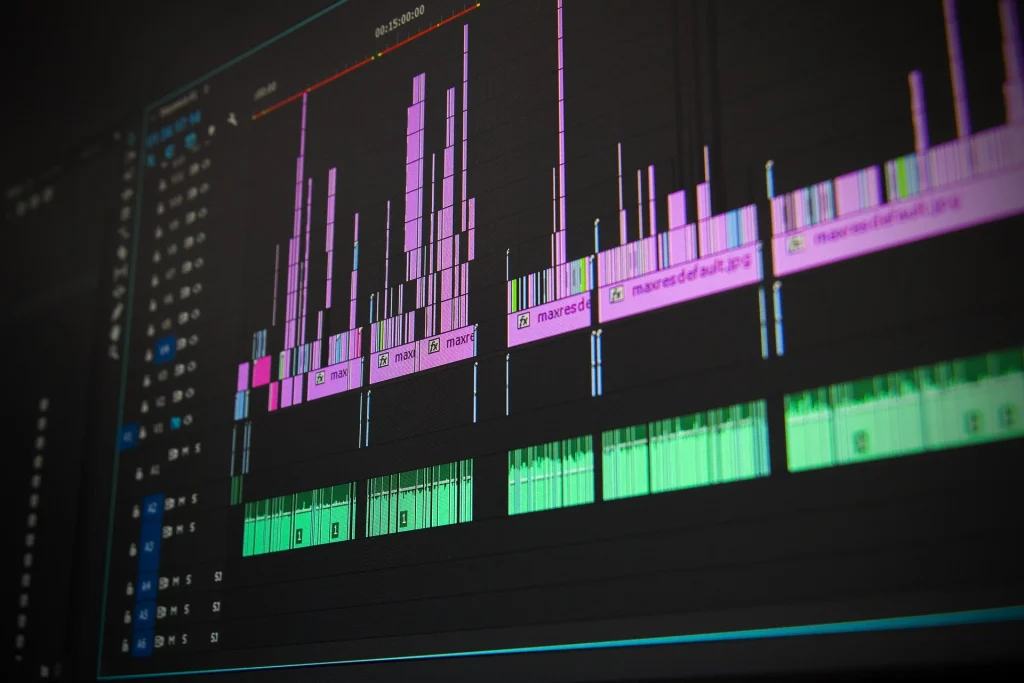
Video editing for beginners is an essential skill for creating engaging YouTube videos, social media content, advertisements, and professional films. Whether you are a beginner or an aspiring video editor, learning the right techniques and software can help you create high-quality videos.
In this guide, you will learn the basics of video editing, the best editing software for beginners, essential editing techniques, and how to improve your skills.
What Is Video Editing for Beginners?
Video editing for Beginners sting colours, synchronising audio, and combining visual elements to create a complete video.
Professional video editors use editing software to transform raw footage into engaging content for YouTube, Instagram, businesses, films, and digital marketing campaigns.
Best Video Editing Software for Beginners
Choosing the right video editing software depends on your computer specifications, creative goals, and experience.
1. Adobe Premiere Pro
Adobe Premiere Pro is professional video editing software used for YouTube videos, advertisements, documentaries, and commercial projects. It offers tools for cutting clips, editing audio, colour correction, and organising complex timelines.
2. DaVinci Resolve
DaVinci Resolve is a powerful editing application known for professional for colour grading, audio post-production, visual effects, and video editing. It is available in free and paid versions.
3. CapCut
CapCut is a video editing for beginners editing tool suitable for short-form videos, social media content, captions, and quick edits.
4. Adobe After Effects
Adobe After Effects specialises in motion graphics, animation, compositing, and visual effects. It complements traditional editing software when a project requires animated titles, tracking, or advanced visual elements.
Essential Video Editing Skills to Learn
To become a better video editor, focus on mastering these fundamental skills.
1. Cutting and Trimming
Learn to remove unnecessary footage, organise clips, and maintain a smooth flow between scenes.
2. Audio Editing
Clear dialogue, balanced music, and appropriate sound effects can make your videos more professional.
3. Colour Correction and Colour Grading
Colour correction helps create balanced and natural-looking footage. Colour grading adds a creative visual style that supports the mood of your video.
4. Motion Graphics and Text Animation
Animated titles, lower thirds, transitions, and graphic elements can improve storytelling and visual engagement.
5. Storytelling
Good editing is not just about effects. It is about presenting information in the right order, controlling pacing, and keeping viewers interested.
How to Improve Your Video Editing Skills
Follow these steps to build your editing experience:
- Learn the fundamentals of your chosen editing software.
- Practise cutting and arranging video clips.
- Study pacing, storytelling, and sound design.
- Create short videos for YouTube and social media.
- Learn colour correction and basic motion graphics.
- Build a portfolio that demonstrates your best work.
- Explore AI editing tools to improve your workflow while maintaining creative control.
How AI Is Changing Video Editing
Artificial intelligence is making video editing workflows faster through features such as automatic captions, background removal, transcription, scene detection, and assisted editing.
However, storytelling, visual judgement, sound design, and creative decision-making remain important skills. Learning the fundamentals alongside AI tools can help editors adapt to changing workflows.
Conclusion
Learning video editing requires practice, creativity, and a strong understanding of the fundamentals. Start with one editing application, complete small projects, and gradually develop skills in motion graphics, colour grading, and storytelling.
With consistent practice and a strong portfolio, you can work towards freelance opportunities, content creation projects, or a professional video editing career.
Frequently Asked Questions About Video Editing
How long does it take to learn video editing?
The time required to learn video editing depends on your practice, learning methods, and chosen software. Beginners can learn basic editing skills within a few weeks with regular practice. Developing professional skills in storytelling, colour grading, sound design, and motion graphics may take several months or longer.
Which video editing software is best for beginners?
CapCut is a good starting point for simple social media videos. Adobe Premiere Pro is suitable for learning professional video editing workflows, while DaVinci Resolve offers editing and colour grading tools. Choose software that matches your computer’s capabilities and creative goals.
Can I learn video editing on a low-end computer?
Yes, you can learn video editing on a low-end computer by using lightweight software, working with lower-resolution preview settings, and editing shorter clips. You can also use proxy files to improve timeline performance in compatible editing applications. Start with simple projects before moving to demanding effects and high-resolution footage.